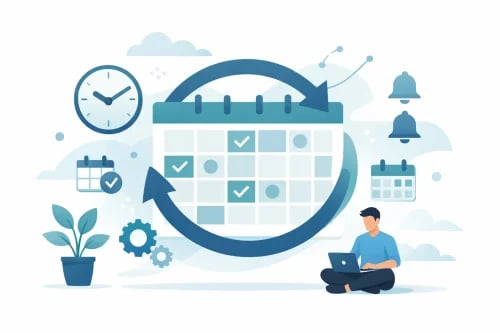
We’re excited to announce that recurring events are now available on TicketFalcon — in beta! Whether you run a weekly fitness class, a monthly networking night, or a daily tour, you can now manage the entire series from a single event page instead of creating each date by hand.
What’s New
One event, many dates. When you create or edit an event, you’ll find a new Recurring option under Event Frequency. Select it, and we’ll guide you through a simple three-step flow:
- Fill in your event details — title, description, location, cover image, and ticket types. Leave the date fields blank; those are set per occurrence in the next step.
- Save & Set Up Recurrence — we’ll save your event and take you straight to the recurrence scheduler.
- Configure your schedule — choose how often the event repeats (daily, weekly, monthly, or custom), pick the days, set a series end date, and optionally add timed-entry slots.
Flexible scheduling. Repeat options include every day, specific days of the week, or fully custom date sets — whatever fits your program’s cadence. You can manage multiple occurrence series for a single event, add new dates at any time with the Add Dates button, edit a series in place, or delete a series entirely.
Timed-entry slots. Need to stagger attendance? Each occurrence series supports a slot builder where you can define named entry windows (e.g., “9:00 AM Entry”, “10:00 AM Entry”) with individual start/end times, per-slot capacity ceilings, and a sales cutoff window in hours before the slot starts. Leave capacity at 0 for unlimited. If no slots are configured, standard ticket-type capacity applies as normal.
Correct dates everywhere. When an attendee buys a ticket to a recurring event, we record exactly which occurrence — and which timed-entry slot — they’re attending. That specific date, time, and timezone now flows through to:
- The My Tickets page, so attendees see the right date on every ticket card.
- Event reminders (24 h, 1 h, and 15 min), which fire at the right moment for each occurrence and link to the specific occurrence page.
- Confirmation emails and PDF tickets, which display occurrence-specific dates and times rather than the series start.
- The Ticket Falcon API is used by our mobile app, so app users always see the correct slot date.
Payout accuracy. Sales calculations and payout reporting now track revenue per occurrence, so your dashboard figures stay accurate across long-running series.
Getting Started
- Open the event editor
- Under Date and Time, select Recurring for Event Frequency.
- Complete your event details and click Save & Set Up Recurrence.
- On the next screen, choose your repeat frequency, days, and end date, then optionally add time slots.
- Publish!
⚠️ Note: Recurring events currently support General Admission ticket types.