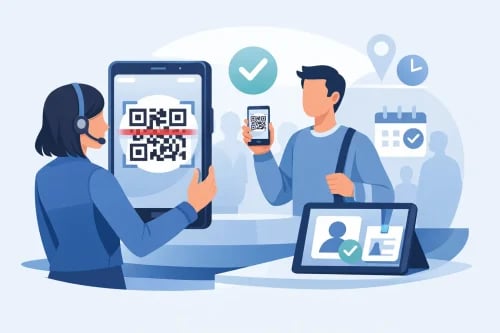
The line tells you almost everything you need to know about your check-in process. If guests are backed up at the door, staff are toggling between spreadsheets, and VIP attendees are waiting while someone searches for a name, the issue usually starts before the event begins. An event check in app with QR code scanning fixes that by replacing manual lookups with a faster, cleaner process that gives staff the information they need in seconds.
For organizers, speed is only part of the value. The right app also protects ticket integrity, reduces duplicate entry, helps teams manage walk-ups and no-shows, and gives you a live view of attendance as it happens. That matters whether you are running a nonprofit gala, a community festival, a reserved-seat performance, or a hybrid event with several attendee types arriving at once.
What an event check in app with QR code scanning should actually do
A lot of platforms say they offer mobile check-in. That does not always mean they support real event-day operations. Some tools simply display a guest list on a phone and let staff mark people as present. That is better than paper, but it still leaves room for delays, human error, and poor visibility.
A true event check in app with QR code scanning should allow staff to scan a QR code from a mobile ticket, printed confirmation, or registration email and instantly match that code to the correct attendee record. It should confirm whether the ticket is valid, whether it has already been used, and whether the guest belongs in a specific seating section, admission tier, or registration category.
That distinction matters more as event complexity increases. A simple open-admission event may only need a green check and a timestamp. A fundraising gala may need to verify table assignments, meal selections, bidder eligibility, sponsorship level, and guest count under a single purchaser. If the system cannot surface those details at check-in, your front-of-house team ends up solving operational problems in real time.
Why QR code scanning changes event-day operations
QR code scanning removes one of the biggest causes of entry friction: searching. Staff do not need to ask guests to spell names, confirm email addresses, or pull up receipts while a line forms behind them. The scan does the work.
That speed creates a better arrival experience, but it also improves control. When each code is unique, the system can flag duplicates immediately. If someone tries to use a ticket that has already been checked in, the app can stop it before the person gets through the door. For paid events, that helps protect revenue. For free community events with limited capacity, it helps protect fairness and attendance accuracy.
It also helps organizers make better decisions during the event. Real-time attendance counts let you see whether registration is converting into actual arrivals, whether a VIP reception is filling as expected, or whether a breakout session needs more staff support. Those are practical adjustments, not vanity metrics.
The features that matter most at the door
The best check-in tools are usually the ones that solve small operational problems before they become visible to guests. Fast scanning is essential, but not enough on its own.
Look for an app that supports multiple staff users at once without creating conflicts in attendee status. If two volunteers are checking in guests at separate entrances, the system should sync attendance data quickly so one person does not accidentally admit someone twice.
Offline capability also matters more than many organizers expect. Venue Wi-Fi can be unreliable, and cellular service may drop when a crowd arrives. If the app depends entirely on a live connection, check-in can stall at the exact moment you need speed most. A good system should keep operating even when connectivity is less than ideal, then sync records once service stabilizes.
You also want flexible attendee views. Staff at the front entrance may only need ticket validation. Staff at a sponsor or donor desk may need deeper information such as table assignment, guest notes, or fundraising participation. A check-in app should support both without forcing every team member into the same workflow.
Finally, the app should connect to the rest of your registration and ticketing system. If check-in exists as a separate tool with separate data, mistakes are more likely. Organizers should not have to export lists, reconcile updates manually, or wonder whether a last-minute ticket sale is visible at the door.
Where organizers get tripped up
The most common mistake is choosing a check-in tool based on the scan itself instead of the event model behind it. A 5K, a school fundraiser, and a theater performance may all use QR codes, but they do not have the same operational needs.
Reserved seating is a good example. If guests paid for assigned seats, the check-in app should confirm that information instantly and help staff direct attendees correctly. Otherwise, the issue gets pushed into the venue, where ushers and guests are left sorting it out.
Fundraising events create another layer. Some attendees are donors, some are sponsors, some are table captains, and some are guests registered under someone else. If your app cannot account for those relationships, front-of-house staff may spend too much time figuring out who belongs where and what they are entitled to access.
There is also the problem of last-minute changes. Walk-up registrations, ticket transfers, upgraded admission, and corrected guest names are normal on event day. A strong platform handles those updates without forcing your team into a patchwork process of handwritten notes and back-office fixes.
How to evaluate an event check in app with QR code scanning
Start with your event flow, not a feature list. Think through what happens from the moment a guest reaches the entrance to the moment they are inside. How many entry points do you have? Are there separate lines for sponsors, VIPs, general admission, or on-site registration? Do you need to check one person in, or an entire party attached to one order?
Then assess how the app handles exceptions. Every organizer plans for the expected path, but event-day stress usually comes from edge cases. A guest forgot their ticket. A sponsor arrives with an unlisted guest. Someone needs to be reissued a badge. A volunteer scans the wrong person. The better the app handles those moments, the smoother the event feels.
It is also worth reviewing reporting and financial alignment. Check-in is not just a front-door task. It affects post-event follow-up, attendance reporting, sponsor fulfillment, and in some cases fundraising reconciliation. If your event platform gives you direct access to attendee and revenue data in one place, you spend less time cleaning up records later.
For organizers who run recurring events, consistency matters too. Staff turnover, volunteer changes, and varying venue conditions make a simple training experience valuable. If a new team member can learn the check-in flow quickly, you reduce risk before doors open.
Why a unified platform usually works better
When registration, ticketing, fundraising, and mobile check-in live in one system, operations get easier. The attendee record is already there. The QR code is generated from the same transaction. Updates made by the admin team are visible to front-of-house staff without extra imports or manual syncs.
That unified setup matters even more for organizations managing revenue-sensitive events. If you are selling tickets, accepting donations, assigning seats, and tracking attendance, disconnected tools create unnecessary gaps. The goal is not just to move people through the line faster. It is to keep event execution, guest experience, and financial visibility under control at the same time.
This is where many organizers start rethinking what they need from a platform. They may begin by looking for faster check-in, but what they really need is a system that supports sales, attendee management, and event-day execution together. Ticket Falcon is built for that kind of practical control, especially for organizers who need more than basic ticket scanning.
The guest experience is operational, not cosmetic
Guests remember how an event starts. A quick, confident arrival sets the tone. A confused line, repeated questions, or staff working around software limits does the opposite.
That does not mean every event needs the most advanced setup available. Some events are simple by design, and a straightforward QR scan workflow is enough. But if your event includes tiers, tables, fundraising components, or multiple check-in paths, your app should reflect that complexity without making the process harder for staff.
The best event check-in systems are not flashy. They are dependable, fast, and clear under pressure. They let your team focus on welcoming people, solving real exceptions, and keeping the event moving.
If you are evaluating tools now, look past the demo scan and focus on what happens during a crowded arrival window. That is where the right app proves its value, and where a better check-in process pays off before the program even begins.