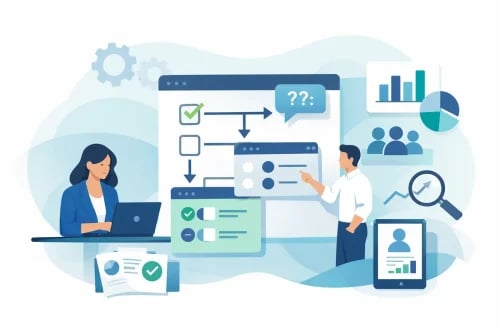
Most event registration forms ask too much from the wrong people. That is exactly why conditional survey questions maximize attendee data more effectively than long, static forms. When attendees only see questions that match their ticket type, interests, or role, completion rates improve and the data you collect becomes far more useful.
For organizers, better data is not just a reporting benefit. It affects check-in speed, seating accuracy, sponsor value, donor follow-up, volunteer coordination, and post-event communication. If your form treats every attendee the same, you create friction on the front end and extra cleanup work on the back end.
Why conditional survey questions work
Conditional survey questions show or hide follow-up fields based on a person’s previous answer. If someone selects VIP, they can be asked about meal preferences or concierge needs. If they choose general admission, those questions never appear. If a guest says they are attending virtually, you can ask for shipping details for an event kit. If they are attending in person, you can ask about accessibility or parking.
This matters because relevance drives completion. People are more willing to answer questions when the form feels short, logical, and specific to them. Just as important, organizers avoid collecting cluttered data from people who were never the right fit for those questions in the first place.
How Conditional Survey Questions Maximize Attendee Data
The goal is not to ask more questions. The goal is to ask better ones at the right time.
A nonprofit gala might need sponsor information, bidder preferences, and meal selections, but not every registrant should see every field. A table captain may need to provide guest names later. A donor purchasing a sponsorship package may need an invoice contact. An auction participant may need a mobile number for bid alerts. Conditional logic helps you capture each detail only when it applies.
That gives you cleaner segmentation before the event starts. You can identify who needs special handling, who is likely to engage in fundraising, who needs follow-up from staff, and who should receive different communications. Instead of exporting one messy spreadsheet and sorting it manually, your registration process does that work in real time.
Where organizers should use them first
Registration is the obvious starting point, but it is not the only place conditional logic helps. Pre-event surveys, add-on forms, donor intake, and post-event feedback all benefit from the same approach.
Start with the highest-impact moments. Ticket type is one trigger. Attendance format is another. Group sales, sponsorships, volunteer roles, and fundraising participation are also strong decision points because they usually require different information.
For example, if someone buys a reserved seat package, you may want guest names and seating notes. If they register as a sponsor, you may need logo submission details and onsite contact information. If they indicate dietary restrictions, then and only then should you ask for specifics. That keeps the form moving while still giving your team the operational detail it needs.
Build for operations, not curiosity
This is where many forms go off track. Organizers often add questions because the information might be interesting, not because it supports event execution. That creates friction and lowers completion.
A better standard is simple: every conditional question should support a real operational, fundraising, or communication need. Will this answer affect staffing, seating, fulfillment, segmentation, check-in, donor outreach, or guest experience? If not, leave it out.
There is also a trade-off. More personalization can produce better data, but too many branches can make the form harder to manage internally. Keep your logic clean enough that staff can understand it, test it, and trust the output.
Common mistakes that hurt data quality
The biggest mistake is using conditional logic without a clear plan for the data afterward. If you collect role-specific details but never map them to communications or event workflows, the form becomes busy work.
Another issue is asking sensitive or high-effort questions too early. Start with essential registration details, then move into relevant follow-ups. People are more likely to complete a form when momentum builds naturally.
It also helps to avoid overlapping paths. If one attendee can qualify for multiple branches, make sure the logic is ordered correctly. Otherwise, you risk missing key information or showing duplicate questions.
What better attendee data actually looks like
Better attendee data is not just more complete. It is structured in a way your team can act on quickly.
That means knowing which guests need special accommodations, which donors are tied to sponsorship packages, which attendees are virtual versus onsite, and which registrants need different reminders before event day. It means your auction team is not chasing phone numbers at the last minute and your check-in staff is not troubleshooting information that should have been captured during registration.
For organizers using an all-in-one event platform, this becomes even more valuable. When registration data feeds directly into ticketing, fundraising, communication, and event-day operations, every conditional answer has a practical use. That is where tools like Ticket Falcon can help, because the value of smarter forms increases when the rest of your event workflow lives in the same system.
Conditional survey questions are one of the simplest ways to reduce form fatigue while collecting more actionable information. If your current setup forces every attendee through the same path, you are likely getting less data than you think – and working harder to make sense of it later. The best registration forms do not feel longer. They feel smarter.